
Find Relevant Activity Faster
Navigate AI-organized events instead of relying entirely on manual timeline searching.


NABIK SMART SURVEILLANCE
Review organized CCTV events, preview recorded activity, filter relevant detections, and preserve important footage without manually searching through hours of recordings.

LESS SEARCHING. MORE CLARITY.
After an incident, finding relevant footage can mean selecting cameras, checking times, and repeatedly rewinding recordings. Nabik organizes detected activity so you can focus on moments worth investigating.
Navigate AI-organized events instead of relying entirely on manual timeline searching.
See available event previews and decide which recordings deserve closer attention.
Switch configured cameras and use available event and history views to follow activity.
Export supported recording segments for longer-term preservation or authorized sharing.
FROM HOURS OF VIDEO TO RELEVANT EVENTS
Browse reviewable periods, inspect available recordings, and keep track of what you have already reviewed.
This static example shows where available footage can be reviewed around an event. No live recording is connected.
Feature demonstration using illustrative events, not a live security dashboard. Review items depend on detected activity and available recordings.
A SIMPLE REVIEW WORKFLOW
Move from detecting activity to reviewing the recording that matters.
Compatible cameras send video streams to the Nabik AI Box.
Supported detected activity is organized into reviewable time periods.
Narrow available items by camera, date, object category, and zone.
Inspect the recording timeline and export important available footage.
Review items depend on detected activity, available recordings, and system configuration.
TOOLS FOR FASTER INVESTIGATIONS
Narrow down activity, examine available recordings, and preserve relevant moments.
Preview available event footage before opening the complete recording. Identify which events deserve a closer look.
Navigate footage around an event to understand what happened before, during, and after an incident, where recordings exist.
Related object activity on one camera can be grouped into a review period, helping you inspect connected activity together.
Distinguish configured priority alerts from other detected activity and review higher-priority events first.
Use available camera, date, object, zone, and review-status filters to spend less time on unrelated footage.
Preserve available recordings or selected events outside ordinary retention for future reference.
A BETTER WAY TO REVIEW
Nabik adds AI-organized tools to date-and-time playback, helping users reach relevant recorded activity more efficiently.
Some modern AI-enabled CCTV systems and NVRs already offer advanced review tools. Nabik offers flexible event organization, review, and local recording with compatible existing IP cameras.
KEEP THE CLIPS THAT MATTER
Recordings follow storage capacity and retention settings. Supported export tools help preserve selected video before its ordinary retention period expires.
Save available event recordings or chosen time ranges.
Where supported by the installed version, group incident clips into an export case.
Download exports for internal investigation or authorized reporting.
Illustrative clip selection
Exports depend on the installed version and available footage. They consume storage and should be downloaded or backed up when important. Deleted recordings cannot be recovered by ordinary export tools. Exporting does not guarantee footage qualifies as legal evidence.
MADE FOR REAL-WORLD INVESTIGATIONS
Help authorized users review detected activity across supported cameras. The scenarios below are illustrative.
Check gates, lobbies, parking entrances, and other shared areas.
ILLUSTRATIVE SCENARIOReview gate activity during a reported incident.
Find relevant activity around gates, driveways, and entrances.
ILLUSTRATIVE SCENARIOReview a person approaching the front door.
Review entrances, counters, and selected monitoring areas.
ILLUSTRATIVE SCENARIOFind shop-entrance activity after closing.
Inspect reception areas, corridors, and designated access points.
ILLUSTRATIVE SCENARIOInvestigate a reported office-entrance incident.
Examine loading areas, entrances, and operational zones.
ILLUSTRATIVE SCENARIOReview vehicle movement near a loading bay.
Review supported events around monitored entrances and gates.
ILLUSTRATIVE SCENARIOLocate activity around a reported parking incident.
Help authorized personnel review entrances and permitted common areas.
ILLUSTRATIVE SCENARIOReview vehicle activity near the campus gate.
Inspect public entrances, parking access, and appropriate common areas.
ILLUSTRATIVE SCENARIOReview activity around the reception entrance.
FOLLOW ACTIVITY ACROSS YOUR CAMERAS
Activity may appear at an entrance, a parking area, and a lobby. Where recordings exist, review and history tools help users inspect configured views and relevant timestamps.
Person detected near the entrance.
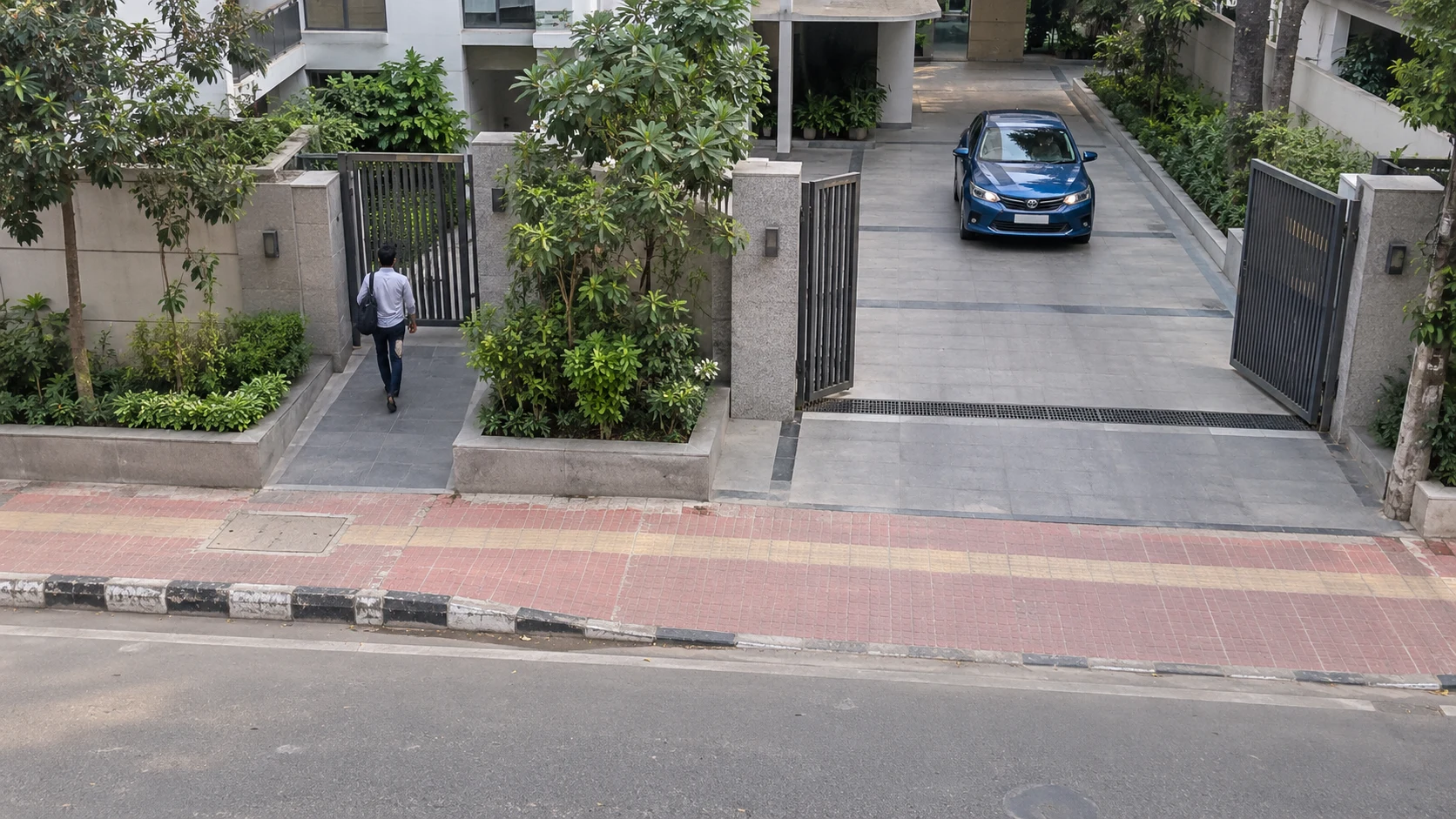
Inspect the parking camera’s available recordings.
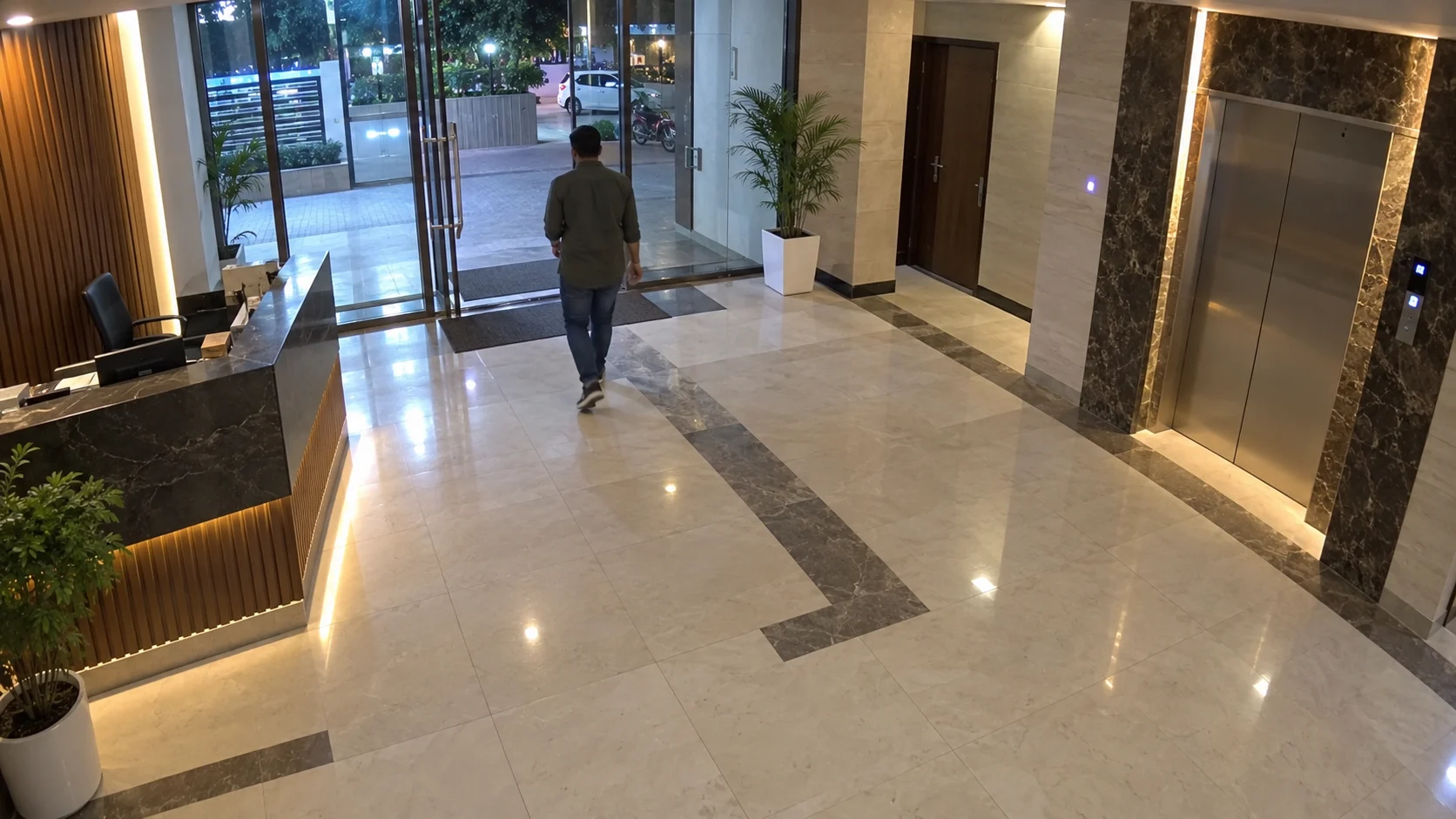
Related activity may be reviewed in the lobby camera.
Illustrative manual investigation workflow. Reviewing related recordings does not prove the same individual appears across cameras. Nabik does not automatically establish cross-camera identity.
EXISTING CAMERAS → LOCAL RECORDING & REVIEW
UPGRADE YOUR EXISTING SURVEILLANCE
With compatible cameras, suitable hardware, and the right configuration, Nabik adds AI-organized review without necessarily replacing the complete CCTV system.
Continue using supported IP cameras already installed.
Use previews, filters, and structured recording timelines.
Store footage on configured local hardware with selectable retention.
Export footage before normal retention removes it.
Add cameras within the limits of your Nabik AI Box.
PLAN YOUR RECORDING WORKFLOW
Supported streams, suitable storage, and a properly configured AI Box are required.
Playback is limited to footage actually recorded and still available under retention rules.
Missed or incorrect detections can occur. Every incident is not guaranteed to appear as an event.
Retention depends on storage and settings. Exports need additional space and appropriate backup.
Access, review, export, and share recordings only through authorized users and applicable privacy requirements.
Looking for events by description? Explore AI Video Search, a separately configured capability. Smart Event Review focuses on previews, filters, playback, and exports.
YOUR QUESTIONS, ANSWERED
Everything you need to know about Smart Event Review.
Smart Event Review helps users browse, preview, filter, and inspect recorded camera activity through organized detection and alert information instead of relying entirely on manual playback.
Yes. Supported review tools allow users to browse activity from configured cameras and inspect available recordings. Multi-camera navigation and playback options depend on the installed software version and configuration.
Yes. Supported review views provide event previews to help users decide which recordings they want to inspect more closely.
Yes, when recording exports are enabled and the relevant footage is available. Users can export selected recordings or supported event clips.
Not every incident will appear as an AI detection. Where supported and recordings are available, users can inspect historical footage and use motion-review tools to investigate activity that did not produce a tracked object.
Ordinary playback usually focuses on selecting dates and navigating a recording timeline. Smart Event Review also organizes detected activity into reviewable periods with previews and available filters.
Yes. When the relevant object types are enabled and detected, review items can be filtered by supported labels, camera, date, and other available criteria.
Yes. Supported review functionality lets users mark activity as reviewed. Marking an event reviewed does not delete the underlying footage.
No. Normal recordings follow configured retention settings and available storage limits. Important footage should be exported and backed up before it expires.
It can work with compatible existing IP cameras that provide supported video streams. Camera compatibility, recording capacity, and hardware requirements should be checked before purchase.
FIND WHAT MATTERS
Discover organized event review, intelligent detection, and practical recording management for your compatible CCTV system.