
Keep Your Existing Investment
Continue using compatible cameras that meet your monitoring requirements.


NABIK SMART SURVEILLANCE
Add AI-powered detection, event review, and smarter surveillance to compatible existing IP cameras without unnecessarily replacing your entire CCTV system.
Camera compatibility and AI Box capacity must be assessed.
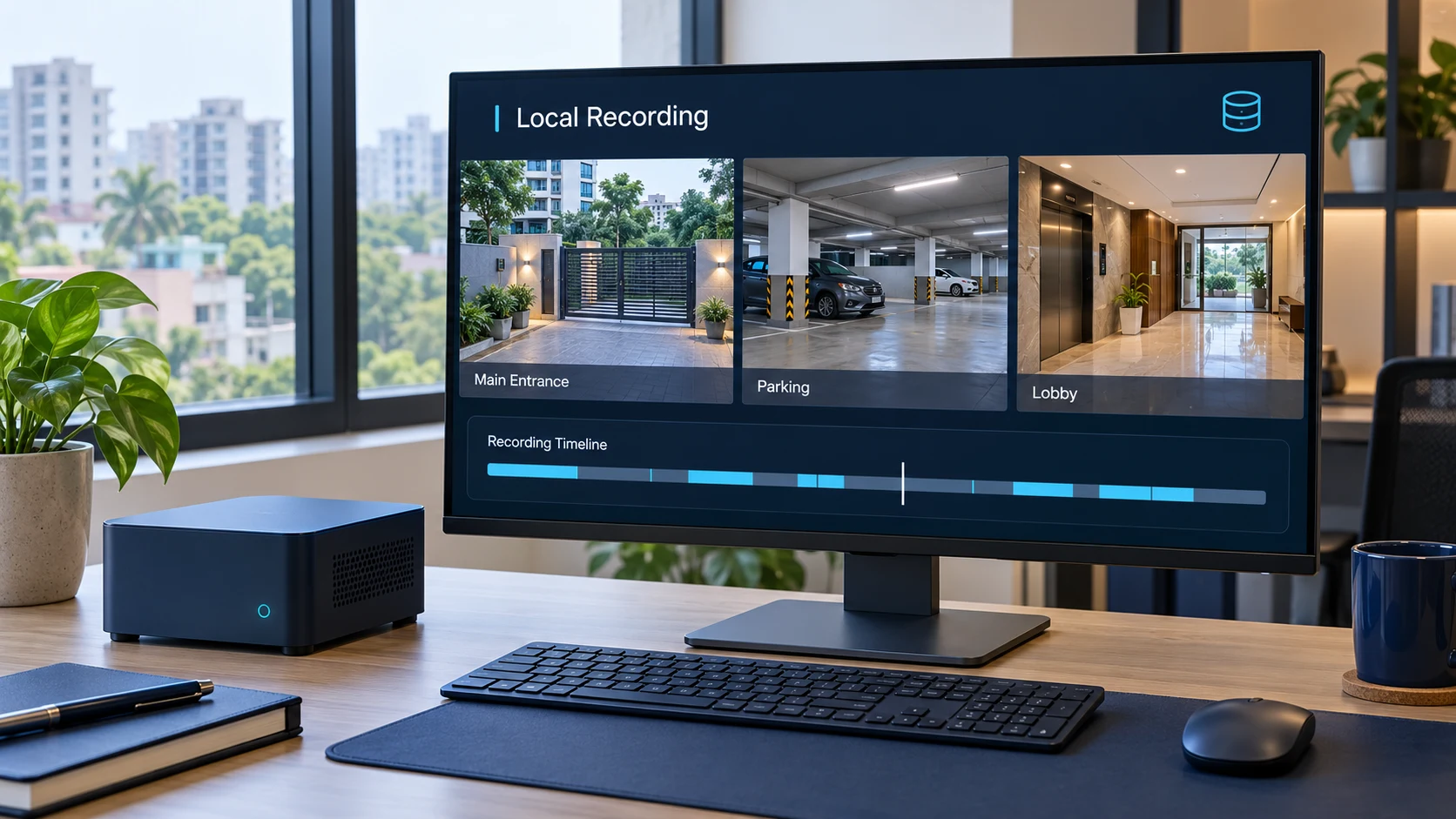
YOUR EXISTING CAMERAS STILL HAVE VALUE
Your cameras may already provide usable video, even if search, alerts, and review are limited. Replacing every camera can add equipment purchases, installation work, and disruption. Nabik offers another approach: add AI processing to compatible existing streams.
Continue using compatible cameras that meet your monitoring requirements.
Use a Nabik AI Box to process supported streams and add intelligent monitoring.
Start with appropriately sized hardware and add compatible cameras as required.
A PRACTICAL WAY TO UPGRADE
Nabik connects to supported network video streams from cameras or compatible video equipment.
Installed IP cameras capture activity as usual.
Compatible video streams travel through a suitable local network.
Configured streams enable AI detection, recording, and event processing.
Review events, manage recordings, and configure alerts or integrations.
Nabik may operate alongside an existing NVR or DVR. Removing existing recording equipment depends on the full system design and requirements.
UNDERSTAND CAMERA COMPATIBILITY
Compatibility depends on usable video streams, rather than just a manufacturer name. Models, firmware, and recording devices support different connection methods.
Many Ethernet, PoE, and compatible network cameras can work when they expose accessible supported streams.
Streaming support and stable connectivity matter. Cloud-only Wi-Fi cameras may not be compatible.
Direct camera streams or supported streams through compatible equipment may be usable, depending on configuration.
Analog cameras do not connect directly as IP cameras. Certain DVRs or encoders can expose suitable network streams.
Proprietary apps or cloud-only operation can prevent access to a usable video stream.
Not sure what cameras you have? Our team can help check.
Request a Compatibility CheckWORKS ACROSS COMPATIBLE CAMERA SYSTEMS
Supported connection methods exist across multiple manufacturers. Reliability varies by model, firmware, codec, and configuration.
MANUFACTURER EXAMPLES · MODEL VERIFICATION REQUIRED
These examples have documented connection methods or configurations. They do not certify every model, and do not imply endorsement, partnership, or certification by the manufacturers.
Many IP cameras expose RTSP or another supported stream format.
Can assist discovery on supported devices. ONVIF alone does not guarantee compatibility.
Generally provides broad playback and streaming compatibility.
May work in suitable setups; playback, transcoding, hardware, and browser support vary.
Use a higher-quality recording stream and a separate stream suited to detection where supported.
Actual compatibility requires checking the model and available stream configuration. No manufacturer logos or certification badges are used.
MORE INTELLIGENCE FROM EXISTING VIDEO
A properly configured AI Box can turn supported existing video streams into more useful monitoring and recording.
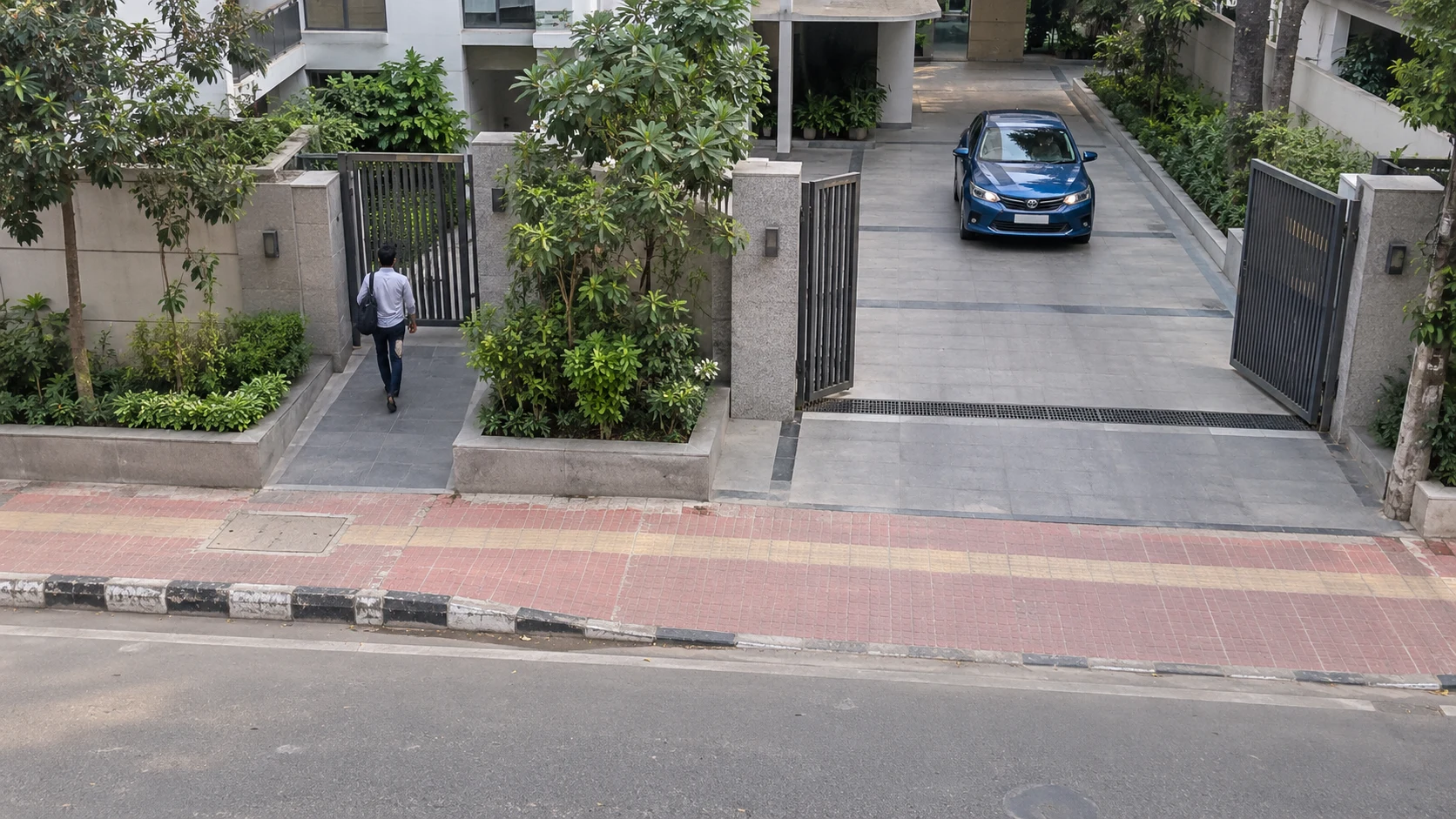 PersonCar
Identify configured people, vehicles, and other supported objects.
Explore this feature →Focus relevant events on selected entrances, gates, and parking areas.
Explore this feature →Browse organized activity, previews, and available recordings.
Explore Smart Event Review →Store supported footage locally with configurable recording and retention.
Explore Private Local Recording →Search indexed events by descriptions on eligible hardware with required configuration.
Explore AI Video Search →Configure supported Telegram notifications and Home Assistant automations.
Explore Smart Integrations →Advanced search and generative summaries may require additional hardware, setup, or external services. Every configuration does not include every advanced capability.
COMPARE YOUR UPGRADE OPTIONS
For working compatible cameras, retaining equipment and adding AI processing can be a practical upgrade path.
Nabik is not always cheaper than new cameras. Total costs depend on compatibility, equipment condition, quantity, hardware, subscriptions, and services. Modern AI cameras may already offer comparable features.
SMARTER SECURITY FOR EXISTING PROPERTIES
Eligible properties can explore AI monitoring using supported equipment already in place.
Add supported AI monitoring to compatible gate, parking, lobby, and shared-access cameras.
Review detected activity around gates, driveways, and entrances using suitable existing cameras.
Improve monitoring around entrances, customer areas, and selected business access points.
Use suitable cameras around reception, corridors, and authorized access areas.
Add supported detection and review around loading areas, storage entrances, and vehicle gates.
Support vehicle detection and review at parking entrances and designated lanes.
Enhance suitable cameras in authorized common areas, vehicle entrances, and access points.
Use compatible cameras at public entrances, parking, and legally appropriate locations.
FROM COMPATIBILITY TO CONFIGURATION
Every installation is different. We assess your requirements before recommending a setup.
Share camera brands, models, quantities, and recorder details.
Check stream compatibility and note any site-survey needs.
Match hardware to cameras, AI features, and recording needs.
After agreement, configure the AI Box and connect streams.
Test agreed features and explain setup and support.
Prabotics Labs provides Nabik AI Box setup, software configuration, compatibility assistance, and agreed support. Physical mounting, new cabling, electrical work, and unrelated infrastructure upgrades are not included unless separately agreed in writing. Site visits and additional services may carry separately quoted charges.
PRACTICAL RECOMMENDATIONS
Some hardware limitations cannot be resolved by adding an AI Box. Upgrading selected cameras may be more practical.
The camera or DVR does not expose an accessible supported stream.
Video is too unclear for useful detection at the required distance.
Streams repeatedly disconnect or suffer severe network problems.
An app-only system has no suitable integration method.
Our goal is to recommend a suitable setup, not to replace equipment unnecessarily.
YOUR QUESTIONS, ANSWERED
Everything you need to know about Existing Camera Support.
Nabik can work with compatible existing IP cameras and certain video equipment that provide supported network streams. Compatibility depends on the camera model, connection method, firmware, and configuration.
The underlying system documents connection methods for cameras from manufacturers including Hikvision, Dahua, Reolink, Axis, Amcrest, TP-Link VIGI, and others. Compatibility must still be verified for each specific model.
Analog cameras cannot usually connect directly as IP cameras. Some analog installations may be usable through compatible DVRs or video encoders that expose supported network streams.
RTSP is commonly used to access live camera video streams. ONVIF is a standard interface that can help discover and interact with supported network camera devices. Actual compatibility depends on the capabilities of each product.
The supported camera count depends on hardware specifications, resolution, frame rates, object-detection requirements, and recording workload. Our team recommends suitable hardware based on the proposed installation.
Existing footage stored on another DVR or NVR does not automatically transfer to Nabik. Camera settings, network configuration, and recording arrangements may need adjustment during setup.
Physical camera installation is not part of Nabik's standard service. Our primary offering covers the AI Box, software configuration, compatible camera connection, and agreed technical assistance.
Submit your camera brand, model, quantity, and existing DVR/NVR details using the compatibility assessment form. Our team can advise on the next steps.
Not necessarily. If your current cameras are compatible and provide suitable video quality, you may be able to keep them and add Nabik through dedicated AI hardware.
Many Hikvision and Dahua IP cameras provide suitable RTSP streams, but support depends on the specific model and configuration. Our team can help assess your equipment.
Some Wi-Fi cameras work when they provide compatible streams and stable network connectivity. Cameras limited to proprietary cloud applications may be unsupported.
Not always. Nabik may operate alongside existing video-recording equipment. Whether that equipment can be removed depends on the cameras, recording requirements, and complete system design.
H.264 generally provides broad compatibility. H.265 can also work in supported configurations, but playback, streaming, and hardware requirements may vary.
No. Preliminary assessments are based on available model information and technical details. Final compatibility and performance may require access to the equipment and testing of actual video streams.
Yes, when compatible video streams are connected to supported Nabik hardware with the appropriate AI detection models and configuration.
YOUR EXISTING CAMERAS COULD DO MORE
Discover whether your current system can support AI monitoring. Understand your options and choose a setup suited to your property.