
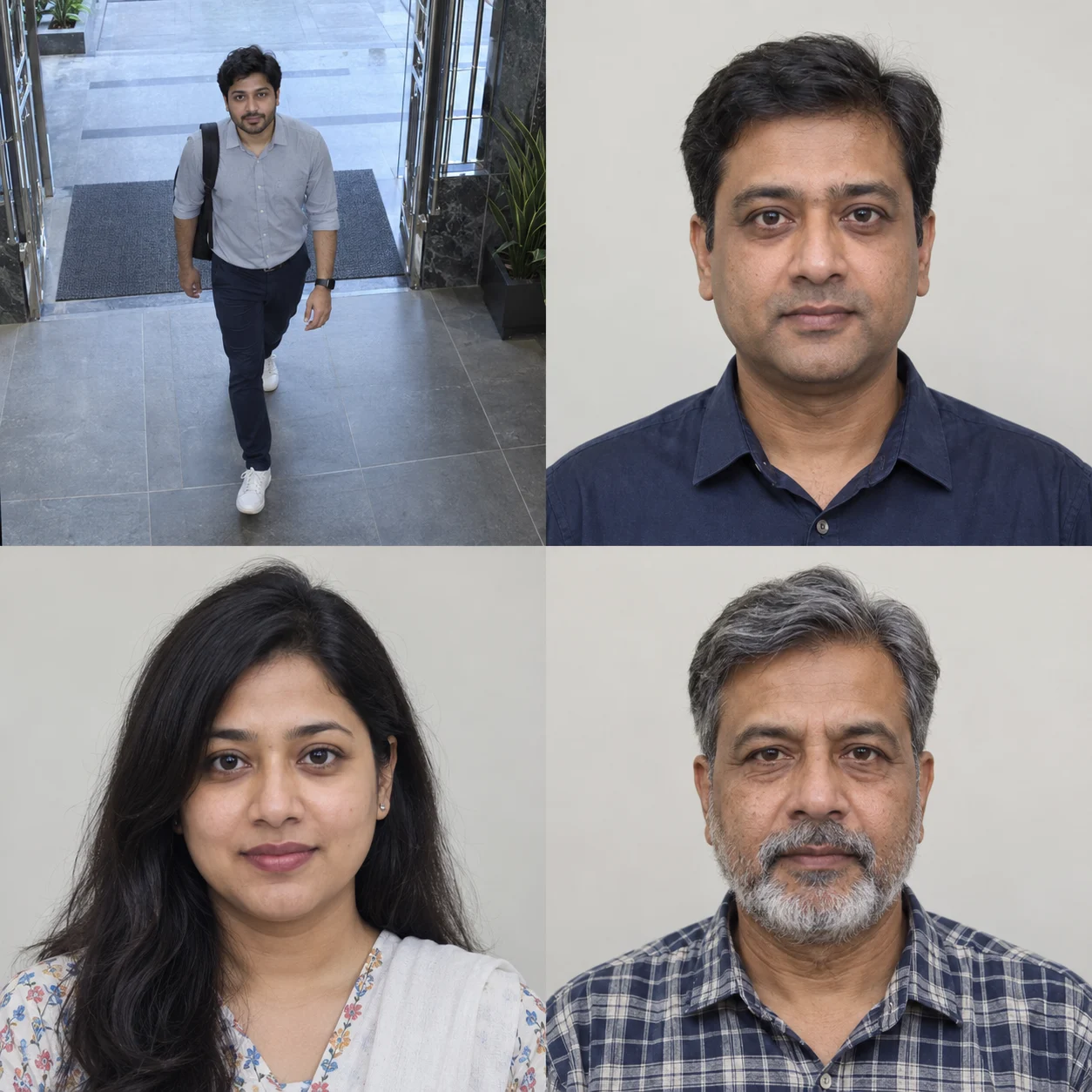
Person Detection
Is there a person in the camera view?
Person DetectedIdentifies a supported person object in the video.


NABIK SMART SURVEILLANCE
Match visible faces against authorized, previously enrolled profiles and add useful recognition information to supported CCTV events.
Available with suitable hardware, configuration, and lawful enrollment. Verify recognition results.
UNDERSTAND THE DIFFERENCE
Person detection identifies someone in a camera view. Face recognition compares a detected face with previously enrolled information to suggest a match. They work together, but serve different purposes.
Is there a person in the camera view?
Person DetectedIdentifies a supported person object in the video.
Is a usable face visible?
Face FoundLocates visible facial information suitable for further analysis.
Does the face match an enrolled individual?
Known Face / UnknownCompares facial information with the enrolled face library.
A recognition match is a model-generated result, not conclusive proof of identity. An unknown result does not imply suspicious behavior.
MORE CONTEXT FOR CAMERA EVENTS
Where lawfully configured, face recognition adds useful context to events involving previously enrolled people, beyond a generic person-detected label.
Associate supported camera events with individuals whose facial information has been properly enrolled.
Use available recognition labels and filters to find relevant camera events more easily.
Display available face-match information alongside detected person events.
Use supported local recognition models on appropriately configured Nabik hardware.
FROM DETECTION TO RECOGNITION
Detected facial features are compared with information stored in an enrolled face library.
Compatible IP cameras send video to the Nabik AI Box.
Check configured streams for a sufficiently clear face.
Compare facial details with previously enrolled profiles.
A suitable match adds recognition details to the person event.
Authorized users review the event and original footage.
Recognition does not succeed on every frame. Image quality, face visibility, enrolled profiles, recognition thresholds, and hardware performance affect results.
MANAGE RECOGNIZED FACES
Authorized administrators can manage previously enrolled profiles and improve recognition with suitable facial images. Enrollment must follow applicable privacy and consent requirements.
Add suitable reference images only where biometric processing is lawful.
Use clear images with useful variations in lighting and angle.
Inspect results, correct appropriate matches, and manage profiles through the supported interface.
Recognition profiles contain sensitive biometric information. Enrollment, access, correction, and deletion must follow the customer’s lawful processing arrangements and applicable privacy requirements.
UNDERSTAND RECOGNITION RESULTS
Not every detected face will match an enrolled profile. A result describes the match with enrolled information, rather than whether a person is allowed to be there.
The system found a sufficiently strong match with an enrolled facial profile.
This remains an AI-generated result and can be incorrect.
The face did not meet the requirements for matching an enrolled profile. It may belong to a visitor, an unenrolled resident, or someone whose face was not captured clearly.
An unknown result does not mean a person is unauthorized, dangerous, or suspicious. Recognition cannot independently determine identity documents, criminal intent, permission, or access rights.
RECOGNITION FOR APPROPRIATE ENVIRONMENTS
With a lawful basis and appropriate authorization, recognition can add context when reviewing activity involving enrolled individuals.
Associate suitable entrance events with enrolled people under a lawful building recognition program.
ILLUSTRATIVE EVENT“Enrolled resident matched at the main lobby entrance.”
Recognize enrolled household members in suitable camera views with informed authorization.
ILLUSTRATIVE EVENT“Known household member matched near the front entrance.”
Use enrolled profiles in appropriately authorized workplace monitoring, without payroll, attendance-verification, or disciplinary claims.
ILLUSTRATIVE EVENT“Enrolled team member matched at the office entrance.”
Review events involving appropriately enrolled individuals at designated access locations.
ILLUSTRATIVE EVENT“Known enrolled profile matched at a community entrance.”
Help authorized personnel review events involving enrolled individuals at designated entrances.
ILLUSTRATIVE EVENT“Enrolled site representative matched at the designated entry point.”
Add information to supported event records using properly enrolled recognition profiles.
ILLUSTRATIVE EVENT“Known authorized profile matched near the property entrance.”
SUPPORTED ON-DEVICE RECOGNITION
Recognition information → Event review
INTELLIGENCE ON YOUR HARDWARE
Supported models process facial information locally, without continuous cloud image processing for core matching. Required models must first be downloaded; setup, updates, integrations, and remote access may need internet.
Supported models run on the AI Box rather than a remote recognition API.
Recognition labels can accompany supported person events.
Select models appropriate to available CPU, GPU, or NPU resources.
CPU processing; lower resource needs, with potentially lower recognition accuracy.
Designed for stronger performance; requires suitable GPU/NPU resources and is not for every basic AI Box.
A CPU supporting both AVX and AVX2 instructions is required.
MORE THAN DETECTING MOVEMENT
Motion detection reports video changes. Person detection identifies people. Supported face recognition adds enrolled-person context when suitable facial information is available.
Some modern smart cameras and NVRs also offer recognition. Nabik adds supported local recognition to compatible existing camera streams through configurable dedicated hardware.
PRIVACY IS PART OF RESPONSIBLE SECURITY
Facial information can be sensitive personal data. Customers need an appropriate legal basis, required notices, consent where applicable, and protection against unauthorized access.
Prabotics Labs should explain the configured technology and the agreed division of processing responsibilities.
Before commercial deployment, obtain legal review of the offering, privacy notices, consent and enrollment workflows, retention policies, and supporting documents. Obligations depend on actual processing, roles, and contractual arrangements.
Enroll only where the intended use is permitted and applicable consent or other lawful requirements are satisfied.
Restrict libraries and recognition results to personnel who need access.
Avoid unnecessary facial information and apply retention and deletion policies to reference images and related data.
Check important recognition results against original footage. AI matches are not unquestionable proof.
REQUIREMENTS & LIMITATIONS
Distance, angle, resolution, motion blur, lighting, and face visibility affect results.
Named recognition depends on reference profiles; it does not identify arbitrary individuals.
Supported CPU instructions and processing capacity are required. Advanced models need GPU/NPU acceleration.
False matches and missed recognition can occur. Check original footage when results matter.
Review intended purpose, notice, consent or other legal basis, access permissions, and retention before enabling.
YOUR QUESTIONS, ANSWERED
Everything you need to know about AI Face Recognition.
AI Face Recognition compares detected faces in camera footage with previously enrolled facial profiles to determine whether a supported match is possible.
No. Recognition of a specific individual requires suitable facial information and an enrolled reference profile. Faces that do not match confidently may remain unknown.
It may work with compatible IP cameras that provide sufficiently clear video streams. Camera placement, image quality, AI Box hardware, and configuration must be assessed.
Yes. Where supported and configured, the system can distinguish successful enrolled-profile matches from faces that do not meet the recognition threshold. An unknown result does not mean a person is unauthorized or dangerous.
It may work with sufficiently clear nighttime imagery. Poor lighting, blur, and infrared-only grayscale images can reduce recognition reliability.
It requires an AVX/AVX2-capable CPU and suitable processing capacity. Larger models may need GPU/NPU acceleration. Compatibility depends on the selected Nabik AI Box.
Availability depends on the AI Box hardware, software configuration, applicable subscription, and commercial offering. Confirm the included features before purchase.
Potentially, where there is a legitimate purpose, proper authorization, appropriate safeguards, and a lawful basis for biometric processing. The requirements depend on the specific environment and applicable law.
Yes, when face recognition is enabled and a sufficiently confident match is found with an enrolled profile, a name or recognition label can be associated with the detected person event.
Person detection identifies a person as an object in the camera view. Face recognition attempts to match visible facial information to a previously enrolled individual.
Supported recognition models run locally after their required model files have been downloaded. Initial setup and some other connected services may need internet access.
Accuracy varies according to the selected AI model, camera angle, lighting, face visibility, reference images, and recognition settings. No recognition system should be considered error-free.
Authorized administrators can manage enrolled faces through supported face-library functions, including adding, training, and removing profiles.
Face recognition compares detected faces with enrolled profiles. It does not independently determine criminal history, suspicious intent, or whether someone is authorized to enter a property.
Yes. Facial images and recognition data may constitute sensitive biometric information. Their collection, use, access, retention, and deletion must comply with applicable legal requirements.
RECOGNITION WITH MORE CONTEXT
Explore supported local face recognition for compatible CCTV cameras through an appropriately configured AI Box.