
Find Events Faster
Narrow down relevant clips without reviewing every recording.


NABIK SMART SURVEILLANCE
Search AI-detected events using simple descriptions and find relevant moments from compatible cameras without manually reviewing hours of footage.
Optional; requires supported hardware and configuration.
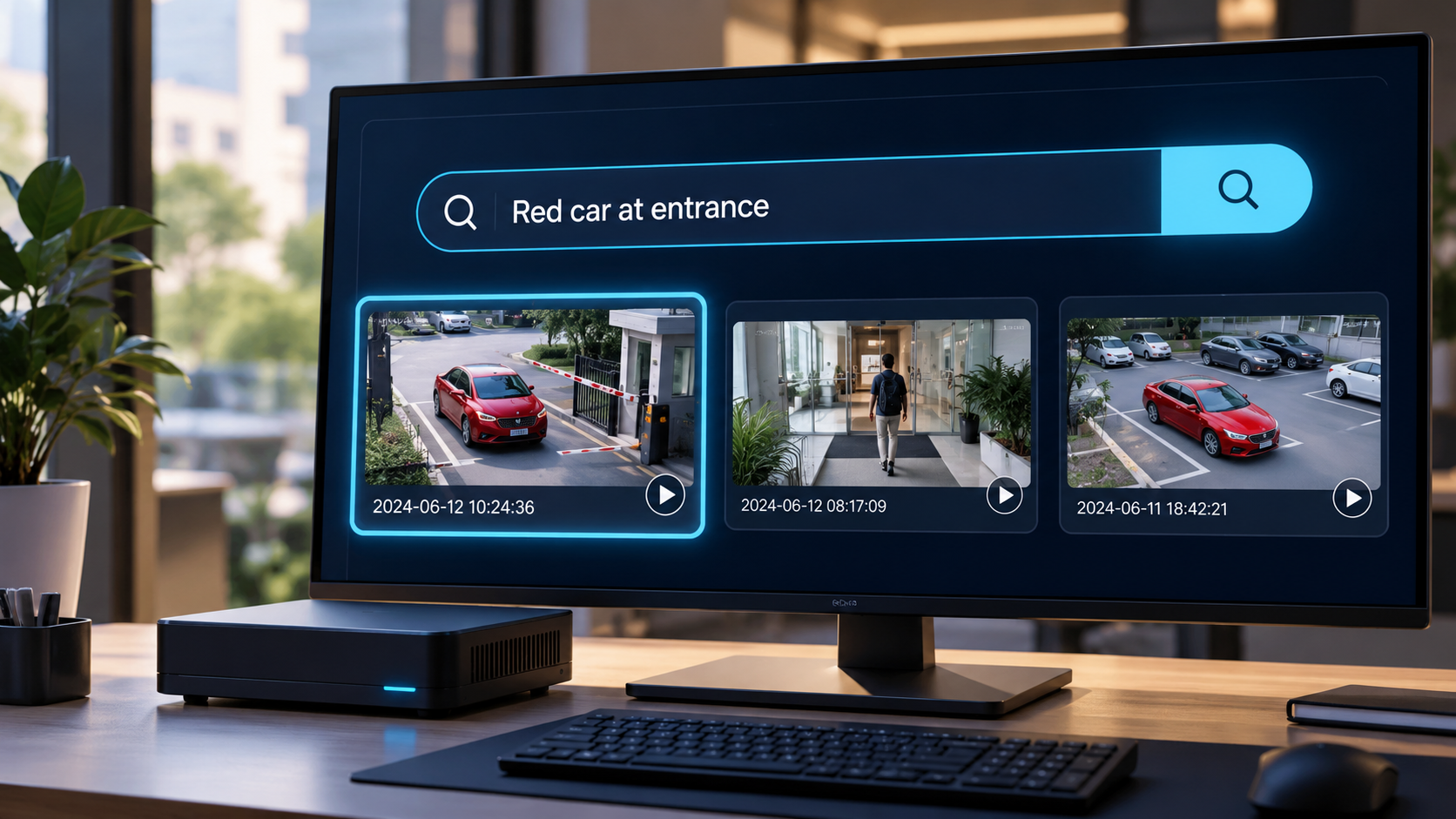
LESS MANUAL REVIEW
Traditional CCTV investigations mean searching timelines and reviewing footage manually.
With Nabik, you can search detected events to narrow down the footage worth reviewing.
Narrow down relevant clips without reviewing every recording.
Describe what you are looking for to find visually similar events.
Explore detected events from multiple configured cameras in one place.
Open a matching event to check timestamps and available footage.
FROM CAMERA TO SEARCH RESULT
Compatible IP cameras send video streams to the Nabik AI Box.
Nabik processes detected objects and prepares searchable event information.
Enter descriptions such as “red car near the entrance” to find visually similar events.
Open matching events, check timestamps, and review available recordings.
Search results are based on AI similarity and are not guaranteed to identify every matching event.
A CLEARER WAY TO INVESTIGATE
Find relevant vehicle and visitor activity around entrances, gates, and shared parking spaces.
Investigate customer-area incidents and review recorded activity without searching an entire day's timeline.
Search detected activity around reception areas, entry points, and designated monitoring zones.
Locate relevant vehicle or personnel events around loading areas, gates, and storage entrances.
Review important activity around driveways, gates, and property entrances.
BUILD ON WHAT YOU HAVE
You may not need to replace your entire camera system to gain advanced search capabilities.
Nabik brings AI-powered event search to supported existing IP camera streams through a suitably configured AI Box.
This means you can retain compatible cameras, use local processing, and improve how recorded activity is reviewed.
Check If Your Cameras Are CompatibleYOUR QUESTIONS, ANSWERED
Everything you need to know about AI Video Search.
Yes. With AI Video Search enabled, you can enter text descriptions to search supported AI-detected events and find visually similar results.
No. AI Video Search works with indexed information from tracked objects and events. It should not be treated as a complete text search across every recorded frame.
Availability depends on the AI Box specifications. Advanced search requires additional memory and processing resources and may not be included in every configuration.
No. Your cameras must provide compatible streams, and your Nabik hardware must support the required AI processing.
Supported local search can operate without a continuous internet connection after the required models are downloaded. Initial setup and certain optional services may require internet access.
YOUR NEXT STEP
Discover whether your existing CCTV cameras can support Nabik's advanced AI Video Search.
Request a Camera Compatibility CheckNabik — A Smarter Guard A Product of Prabotics Labs