
Local Video Storage
Keep supported recordings on storage connected to your Nabik system without cloud storage for everyday recording.


NABIK SMART SURVEILLANCE
Keep supported CCTV footage on dedicated local hardware with flexible recording modes, configurable retention, and convenient event review.
MORE CONTROL OVER YOUR FOOTAGE
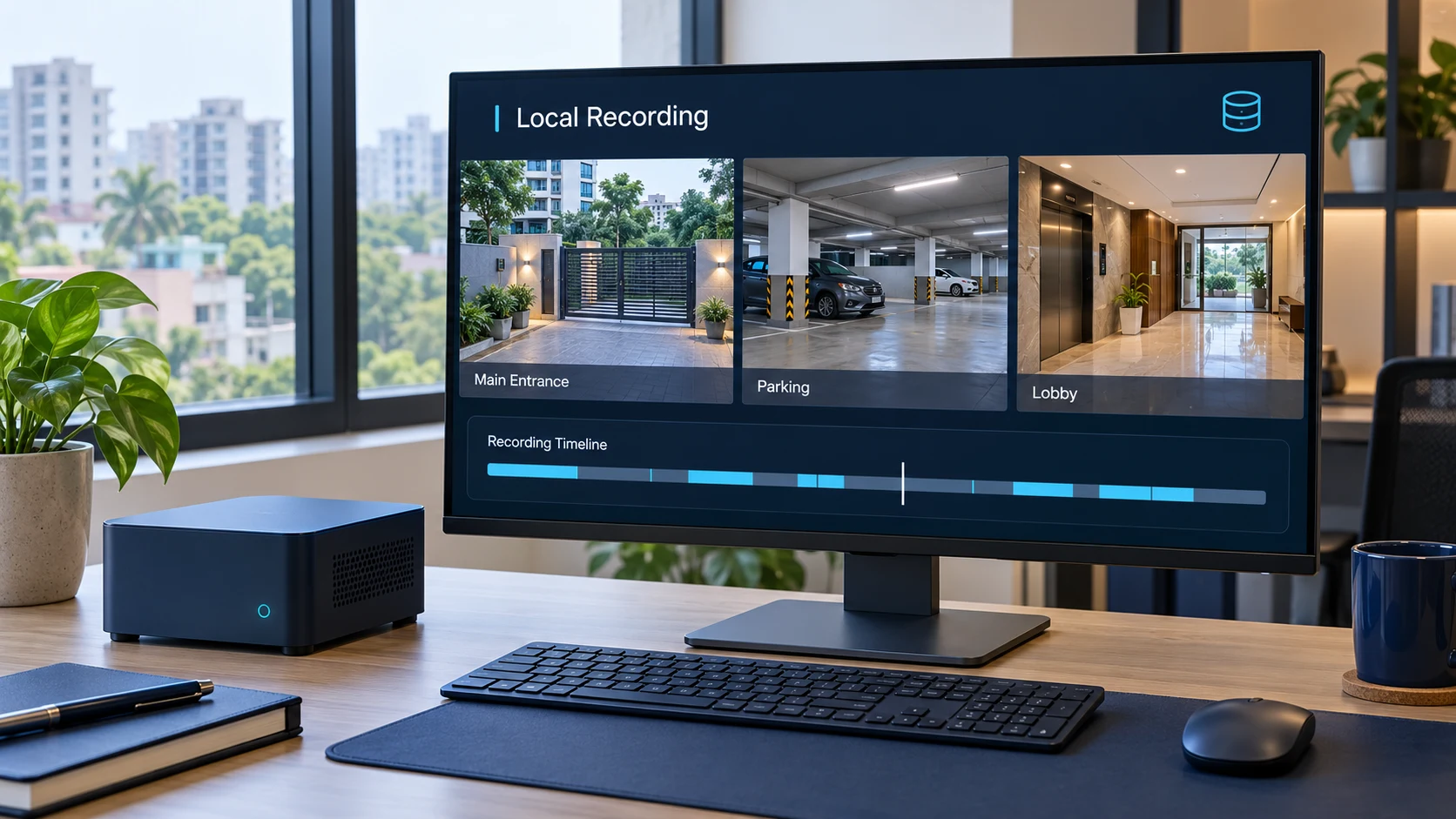
Footage can contain sensitive information about your home, visitors, employees, and business. A local configuration stores supported video on dedicated hardware at your property or another configured local location, reducing dependence on external cloud storage for ordinary recording.
Keep supported recordings on storage connected to your Nabik system without cloud storage for everyday recording.
Choose supported continuous, motion-based, or event-related recording configurations.
Configure how long different recordings remain available, within storage capacity.
Export selected footage separately before ordinary retention removes the original.
A SIMPLE RECORDING WORKFLOW
Compatible camera streams and dedicated hardware manage the core recording process without requiring cloud storage.
Compatible IP cameras provide streams over your local network.
The configured AI Box connects to the streams and handles the recording workflow.
Segments are saved to configured storage according to the selected rules.
Authorized users review available footage and export important recordings.
Local recording requires working cameras, local network connectivity, powered equipment, writable storage, and correct configuration.
RECORDING THAT FITS YOUR REQUIREMENTS
Balance continuous coverage, event review, and available storage with a recording strategy suited to your property.
Record available camera footage continuously according to recording and retention settings.
Review retained activity even when no AI object was detected.
Configure retention around video segments containing detected motion.
May reduce storage needs compared with retaining every segment, depending on scene activity.
Configure retention for supported alerts and detections, including different periods where appropriate.
Focus longer-term retention on selected detected activity.
Motion and AI event-based policies may not retain every second. Undetected events and segments outside retention conditions may not be available later. Segment patterns above are illustrative.
CONTROL YOUR STORAGE
Configure retention for continuous, motion, and relevant event footage. Older recordings can be removed according to policy to help manage available capacity.
Choose periods based on available storage and operational requirements.
Where configured, retain selected event-related recordings longer than general footage.
Preserve important recordings separately before normal retention removes them.
Policy examples show relative periods, not a capacity calculation or a guarantee for any AI Box.
Actual history depends on camera bitrate, storage capacity, settings, and equipment operation. Footage may be deleted when retention expires or storage becomes insufficient.
UNDERSTAND YOUR STORAGE OPTIONS
Cloud services can simplify remote access and provide off-site storage. Local recording keeps ordinary footage on your configured hardware. Different needs may call for different storage strategies.
Many DVR/NVR systems already support local recording. Nabik combines it with AI detection, smart event review, configurable rules, and compatible existing IP cameras.
BUILT AROUND YOUR LOCAL NETWORK
With configured local streams, working network equipment, and available storage, supported local recording can continue during an internet outage. Remote access, Telegram notifications, and some external integrations may stop until connectivity returns.
Internet independence does not prevent power, hardware, or local-network failures. Cameras, AI Box, writable storage, local network, and electrical power must remain operational.
IMPORTANT EVENTS DESERVE EXTRA CARE
Supported export tools preserve selected recordings separately for later review before ordinary recording history expires.
Choose a supported event or an available recording time range to export.
Access exported clips using supported recording-management tools.
Keep authorized copies on suitable independent backup storage for long-term preservation.
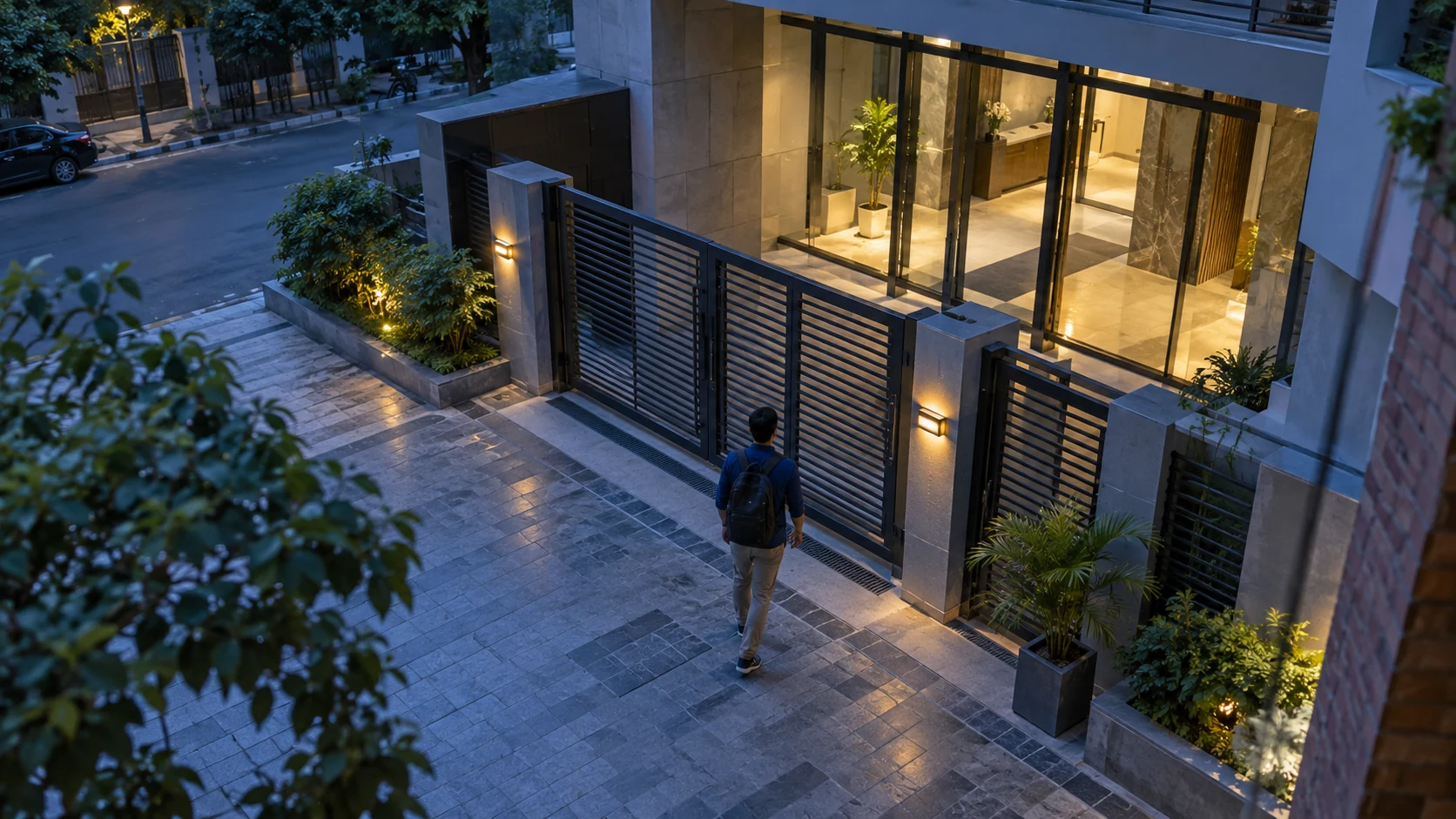
This illustrates exporting an available recording range. No real footage is connected or exported. Review and download genuine exports through your configured Nabik system.
Separately saved exports are not automatically removed by ordinary recording-retention rules, but they consume storage and do not replace independent backups.
PRACTICAL RECORDING FOR EVERY PROPERTY
Configure camera coverage, retention, and storage within the selected hardware’s capacity. Different properties have different recording needs.
Entrances, lobbies, shared parking, and common access points.
Manage history for important shared spaces.
Gates, driveways, entrances, and appropriate outdoor areas.
Maintain local access to available home recordings.
Entrances, counters, and authorized business monitoring areas.
Review recordings when questions or incidents arise.
Reception, common spaces, and designated access points.
Support authorized incident and operational review.
Vehicle gates, loading bays, and storage entrances.
Review operational access-point activity.
Parking entrances, ramps, and designated lanes.
Review footage after reported vehicle-related incidents.
Entrances, parking, and permitted common spaces.
Support authorized review of access incidents.
Public entrances, external access, and legally appropriate areas.
Maintain footage for authorized facility safety review.
CONTROL WHO CAN ACCESS YOUR FOOTAGE
Local recording provides control over location. Security also depends on users, devices, networks, and access arrangements.
Use authenticated accounts and available permissions to limit recording access.
Keep camera connections and the AI Box behind appropriately secured network boundaries.
Maintain supported hardware and software and apply relevant security updates.
Plan independent backups against failure, theft, physical damage, and deletion.
COMPATIBLE CAMERAS · CONFIGURED LOCAL NETWORK
MORE THAN A RECORDING DEVICE
A conventional recorder can already keep footage on-site. Nabik combines compatible local recording with AI detection, organized review, configured alerts, and supported integrations.
Use supported IP cameras already installed.
Identify configured people, vehicles, and other supported categories.
Navigate available activity through previews and review timelines.
Manage continuous, motion, and event-related retention.
Add cameras within the selected AI Box’s capacity.
YOUR QUESTIONS, ANSWERED
Everything you need to know about Private Local Recording.
Local CCTV recording means video is stored on recording hardware or another configured storage device instead of relying entirely on a remote cloud-storage service.
Standard local recording does not require continuously uploading all footage to cloud storage. However, optional integrations or external services may transmit selected data when enabled.
Yes. Supported recording policies can retain footage based on motion and configured alerts or detections. Such policies may omit footage that does not meet their conditions.
Supported local recording can continue without internet as long as the cameras, AI Box, storage, local network, and power remain operational. Internet-dependent services may become unavailable.
The system manages recordings according to the configured retention policy and storage conditions. Older footage may be removed, and storage or hardware problems can interrupt recording. Customers should not assume footage will be preserved indefinitely.
Local recording provides control over where footage is stored, but security depends on account permissions, networking, physical protection, software maintenance, and backup arrangements. Neither local nor cloud storage is automatically secure in every situation.
In a standard local configuration, Nabik stores recordings on the storage configured for its AI Box. The exact storage location and capacity depend on the installation.
Yes. Continuous recording can be enabled with suitable storage and camera configuration. The available recording duration depends on storage capacity and retention settings.
There is no universal recording duration. Retention depends on the selected hardware, available storage, camera bitrate, recording mode, and configured retention policy.
Yes. When export functionality is enabled and the footage is still available, users can create exports of supported events or recording ranges.
Footage removed under retention settings may not be recoverable through normal recording tools. Important recordings should be exported and backed up before deletion.
Depending on your cameras, recording requirements, and system design, Nabik may provide recording functions alongside or instead of some existing recording equipment. A compatibility assessment is needed before deciding whether existing hardware can be removed.
PLAN YOUR STORAGE
Duration depends on camera count, bitrate, retention, and available storage.
Cameras, AI Box, network, and storage must operate. Backup power may reduce interruptions.
Separate backups are needed against theft, fire, drive failure, or accidental deletion.
Hardware, subscriptions, setup, and support follow the selected plan and service agreement. Local recording does not eliminate every fee.
SMARTER STORAGE STARTS HERE
Discover flexible local recording, intelligent surveillance, and practical video management for compatible existing cameras.